Valve has updated the Steam client – and this time, it's more than just silent bug fixes. The update introduces a new library view mode, screensavers, and an experimental streaming codec. We've summarized the most important changes below.
What is Steam's new Big Art Mode?
Big Art Mode is an optional view within Big Picture Mode, for devices like the Steam Deck or a Steam Machine. You can activate it in the settings under "Home" (German: "Große Grafik"). After enabling it, the background artwork of the selected game takes center stage, and the bar with recently played titles moves to the bottom of the screen. On large TVs, this looks significantly more impactful.
What other new features does the update bring?
- Screensavers: When idle, Steam will display a slideshow of your screenshots or artwork from recently played games. Alternatively, there's a bouncing DVD player-style logo, and custom screensavers can be placed in the "config\uioverrides\screensavers" folder.
- Pyrowave Codec: Valve is testing this video codec with Remote Play. It compresses each frame individually and is intended to significantly reduce streaming latency.
- Controls: A visual timeline for key combinations and improved controller compatibility.
- Linux and Proton: Non-Steam Windows applications now automatically launch via the compatibility layer.
- Quality of Life: A shutdown warning when a game is running and Wi-Fi signal strength displayed in the Big Picture Mode header.
Who benefits from Pyrowave for streaming?
Here's the catch: According to GameStar, the codec requires five to ten times the bandwidth compared to H.264 or HEVC. This is only realistic on a local network – with a wired connection or very strong Wi-Fi. Those streaming their gaming PC to the living room can test it out; those playing over weak Wi-Fi are better off sticking with the current codec. Since Pyrowave is running as a test, we wouldn't set it as default but rather suggest trying it out.
The update will automatically download the next time you launch the client. If you're interested in Valve's platform competition, you can find a comparison in our report on the Epic Games Launcher's Vibe Coding Preview.
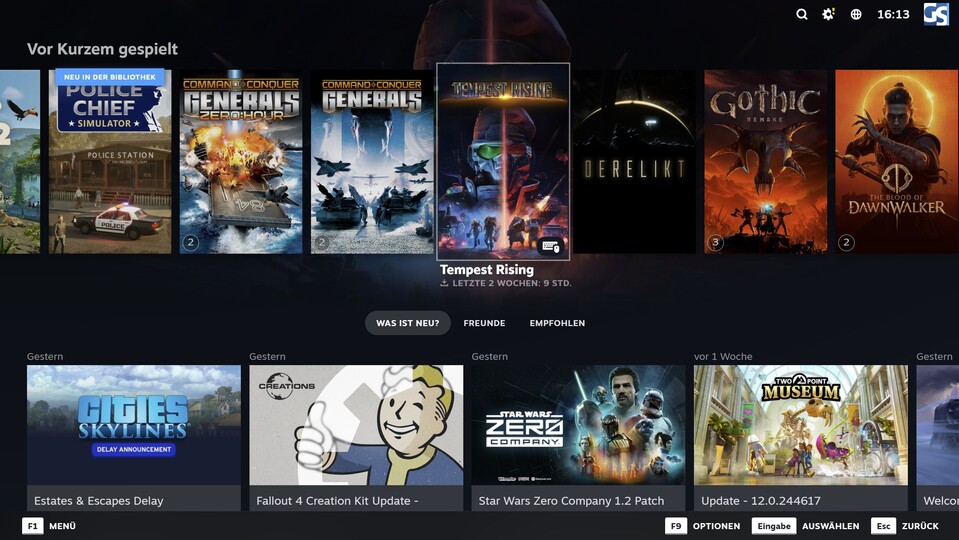
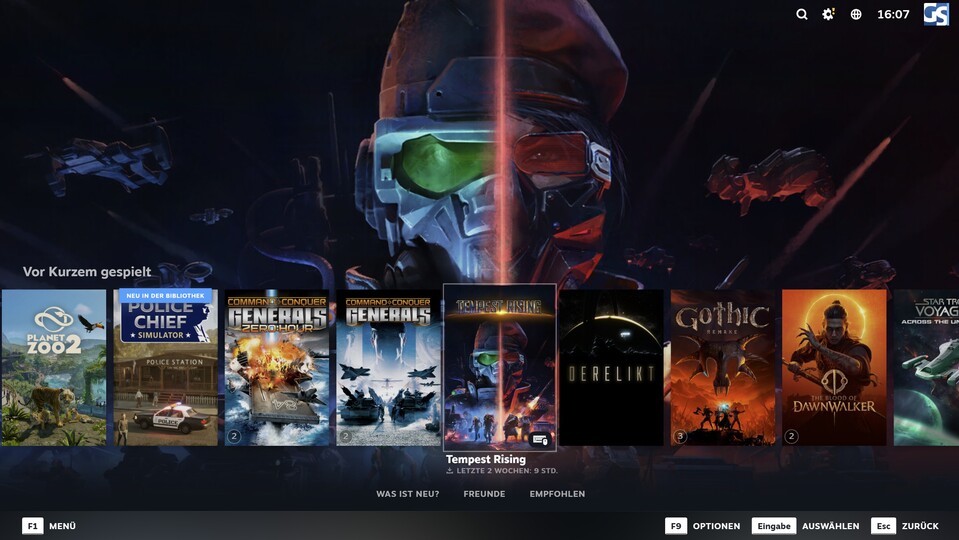
Source: GameStar
Do you use Steam more at your desk or on the couch? Let us know in the comments if you like the Big Art Mode!



Comments (0)
No comments yet — be the first to share your take.